A weekly schedule often stays the same while its timesheet has to be entered again. Multiple campus jobs, alternating weeks, and one-time changes add room for mistakes.
 Gopher Timesheet Filler
Recurring schedules.
Verified timesheets.
A Chrome extension I designed and built to turn saved work schedules into reviewed MyU timesheets.
The problem.
What I built.
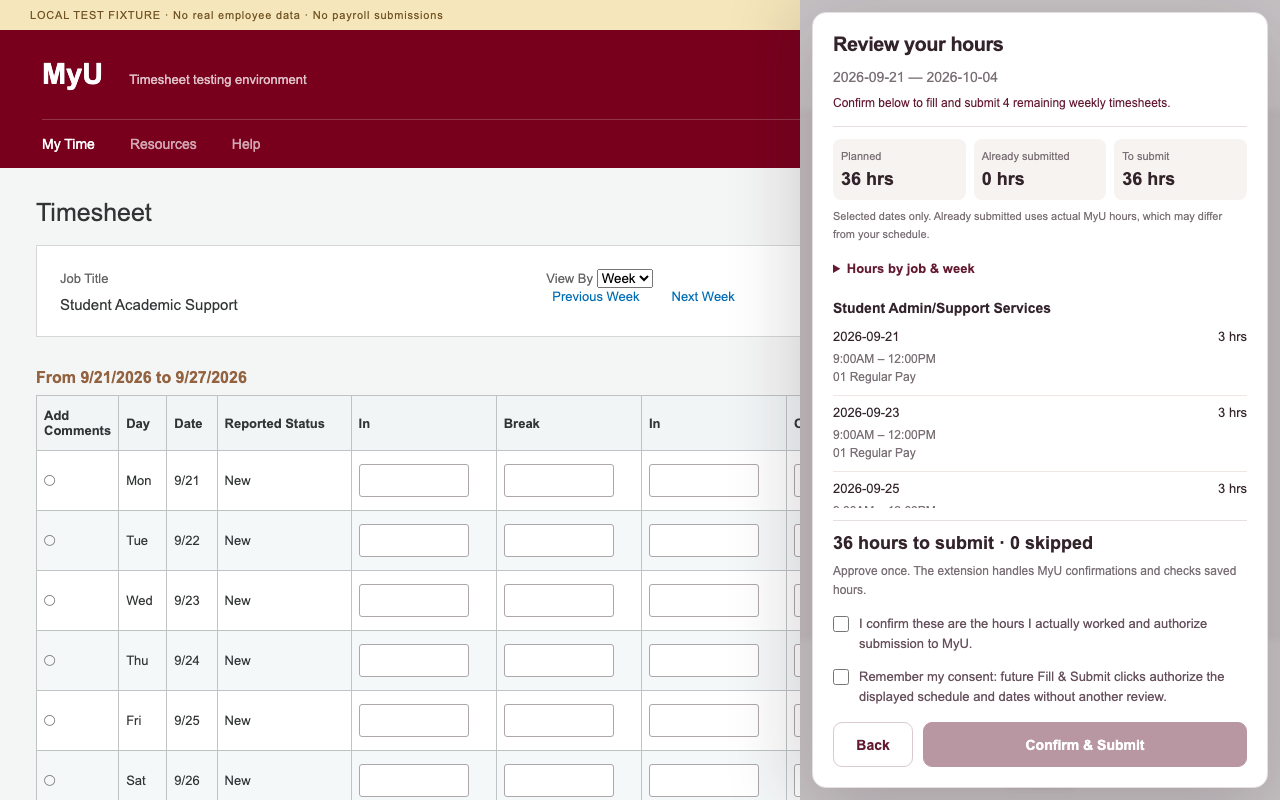
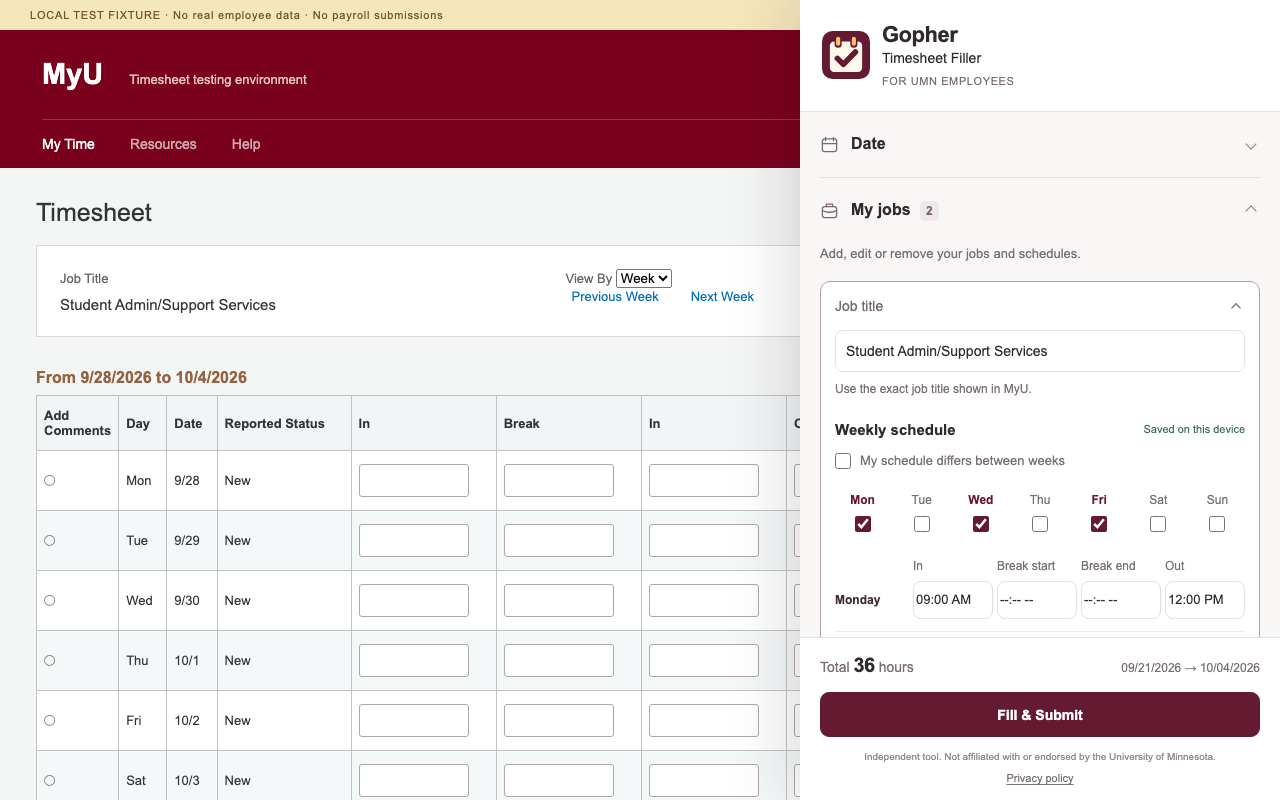
I built Gopher to prepare entries from a saved schedule, give the user a review, and check the result after submission. I handled the interface, implementation, tests, and Web Store release.
I implemented recurring schedules, overlapping-shift checks, duplicate prevention, and job matching, along with browser tests for changed pages and interrupted operations.
How it works.
Save a schedule, review the planned hours, and approve the operation in the extension. Gopher fills the MyU timesheet, submits each job and week, then checks the saved records.
Working with PeopleSoft
MyU’s timesheet lives inside a PeopleSoft interface. The extension works with the rendered page through a focused DOM adapter, while a background service worker coordinates the operation.
Side panel
Schedules, review and approval
Service worker
Storage and operation control
Page adapter
Read, fill, submit and verify
A document-targeted content bridge connects the worker to the embedded timesheet. The integration uses the existing interface rather than a private payroll API.
Design decisions
Approval belongs to the page reviewed.
Reviews are bound to a specific browser tab and document. They expire after ten minutes and can only be approved from the extension panel. If the page or recorded hours change, the operation needs a new review.
After the initial review, users can opt into remembered consent for later runs. Every run still checks the full plan before writing, and the user starts each run from the extension panel.
Read the saved result.
Each job and week is submitted before navigation. A final pass reloads the submitted timesheets and compares their saved hours. A confirmation message alone is not treated as proof that every entry is correct.
Match the employment record.
Two jobs can share a title. The extension identifies jobs using MyU employment records instead of their display order or name. Missing or ambiguous matches stop the workflow.
When the workflow stops
Automating a timesheet also means deciding when to stop.
| Situation | Response |
|---|---|
| The page changes after review | Recheck the approved values and require a fresh review when they no longer match. |
| A record is already submitted | Preserve protected records during normal filling. |
| A job match is ambiguous | Stop rather than infer a match from the title or list position. |
| A submission is interrupted | Record the uncertain operation locally and reconcile it. Do not automatically replay the submission. |
Local storage
Schedules and persistent records use encrypted local storage. The extension has no developer-operated backend. PeopleSoft access happens through the user’s existing browser session.
JavaScriptManifest V3Chrome Side PanelPlaywrightWeb Crypto
The outcome.
Published on the Chrome Web Store. The extension supports recurring schedules across multiple campus jobs and pay periods, with a review step and verification of the saved timesheet.
Verification coverage
Synthetic PeopleSoft fixtures let me test scheduling and browser behavior without using employee payroll records.
158unit tests
222browser scenarios documented
October 2026 release verification. Browser coverage includes focused reruns and added scenarios across release snapshots.
- Schedule arithmetic, payroll dates, and overlapping shifts
- Duplicate job titles and protected records
- Changed pages, permission boundaries, and approval replay
- Interrupted submissions, encrypted storage, and restart recovery
The completed workflow reuses a saved schedule, flags conflicts, and checks the saved records after submission.
See Gopher in the store.
Independent project. Not affiliated with or endorsed by the University of Minnesota.